Helping people reach their inner circle, hands-free
I led: discovery, setup, intelligent preferences, privacy, growth and orchestrated calling, texting, email flows on shared devices, for five teams, new and existing. Platforms: Smart home, Mobile, Voice.
Context
Staying in touch shouldn’t take effort — but on Alexa, it did.
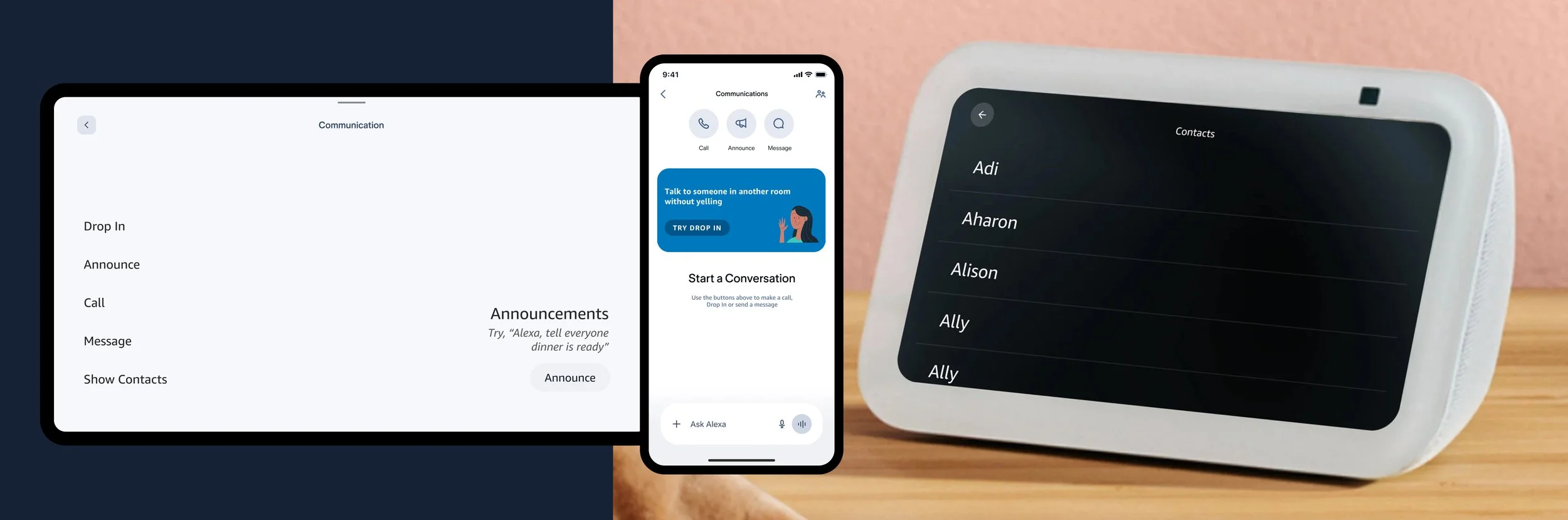
My Role and Scope - Lead Product Designer, 2021–2025, Alexa Connections
Opportunities I framed and designed for —
01 — Awareness & getting started
Goal — Close the gap between what Alexa does and what customers knows
CXO — As a customer I want to be able to know who I can connect to and how
Shipped — Alexa+ SetUp for 6 features, Discovery, Intelligent Preferences & Privacy Layer
02 — Initiating connection
Goal — Help customers co-ordinate and get things done — together
CXO — As a customer I want to reach my home or get someone's attention with speed & confidence
Shipped — Top Contacts Model, 0 to 1 Home & Widget Experience on Devices, App, Voice, Drafting and sending Emails
03 — Meaningful engagement
Goal — Make it natural for customers to discover new ways to connect
CXO — I can show someone I'm thinking of them — effortlessly, when a moment matters
Shipped — Birthdays & Occasions, Active Status, Sharing to Contacts, Daily Message Briefing Long Term Vision
Pillar 01 — Awareness & Getting Started
Uncovering the true customer value proposition with 6 teams together
Customers struggled to know when and how to use Alexa for communication, so I reshaped setup around household routines — everyday language, natural moments, elevated with the platform team and set across seven channels — bringing cohesive value to people and products.
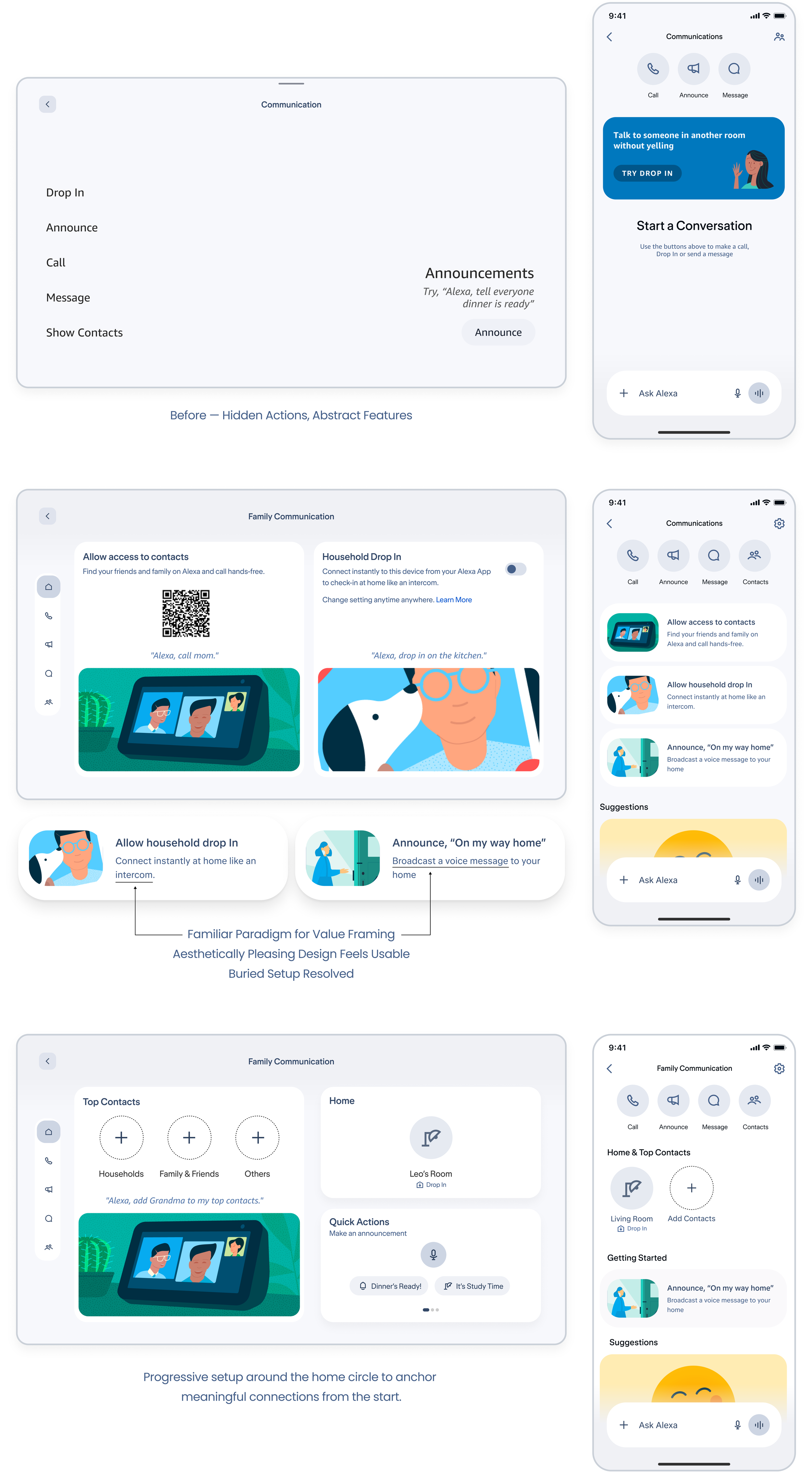
The strategy —
Getting started with home first & making Top Contacts a communal hub experience
I led the "Top Contacts" program to define what constitutes inner circle for our customers communication circle. Through this initiative, I introduced a dedicated household contacts layer at the very top of the hierarchy—a foundational concept that was previously missing from the ecosystem.
The previous setup was cluttered with too many overlapping contact groups—Favorite, Recent, and Suggested—which confused users. Compounding this, iOS restrictions blocked the backend from reading phonebooks, causing the suggested contacts model to fail completely and stalling the onboarding funnel.
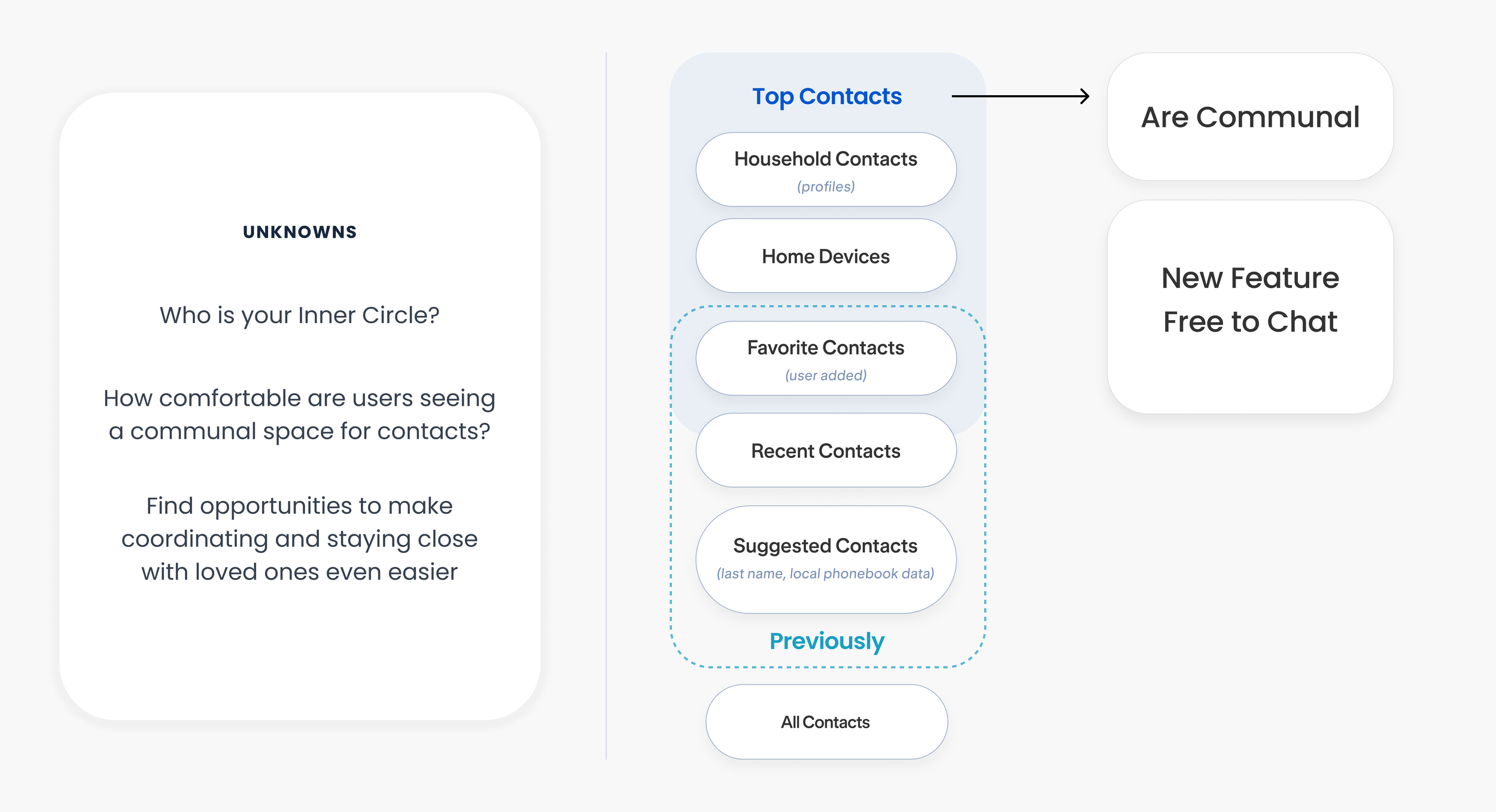
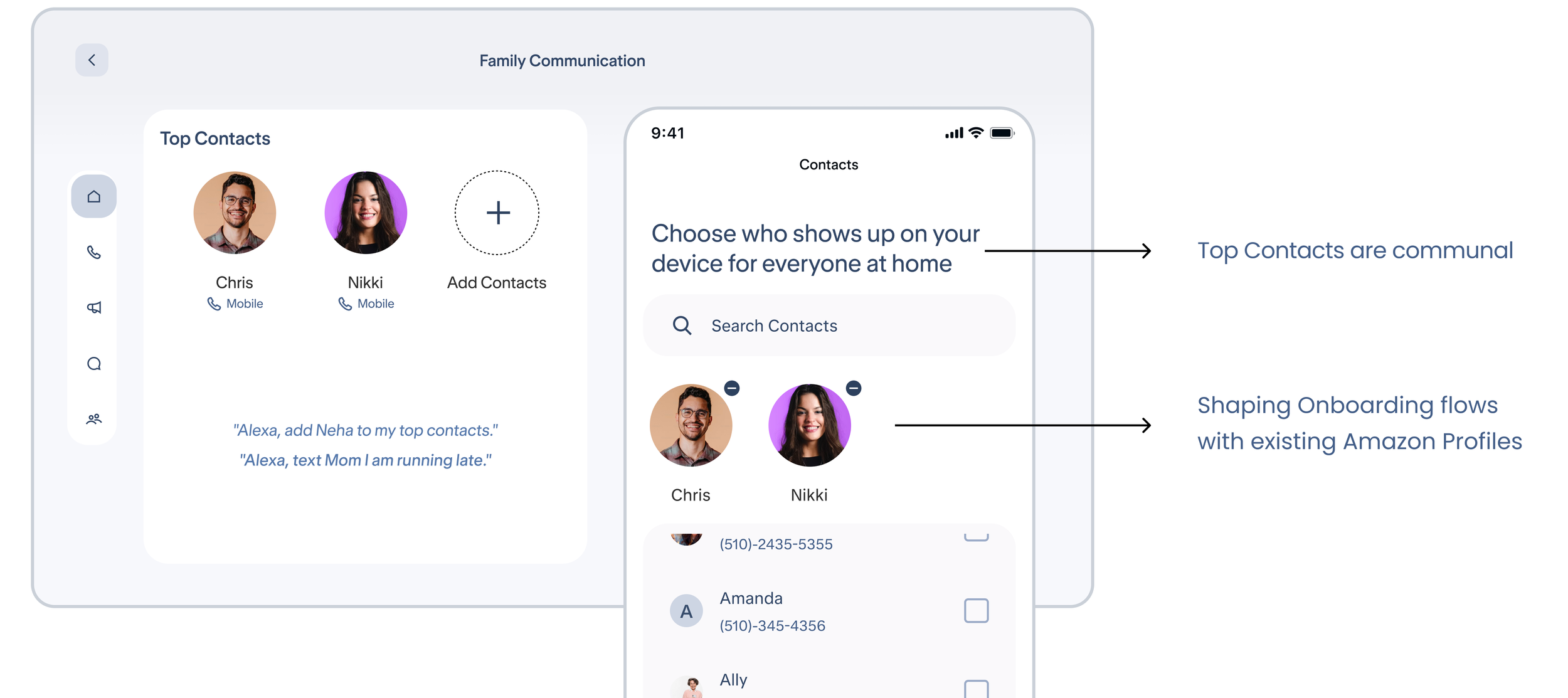
Setting up on mobile to bring the home display to life instantly
Prototype
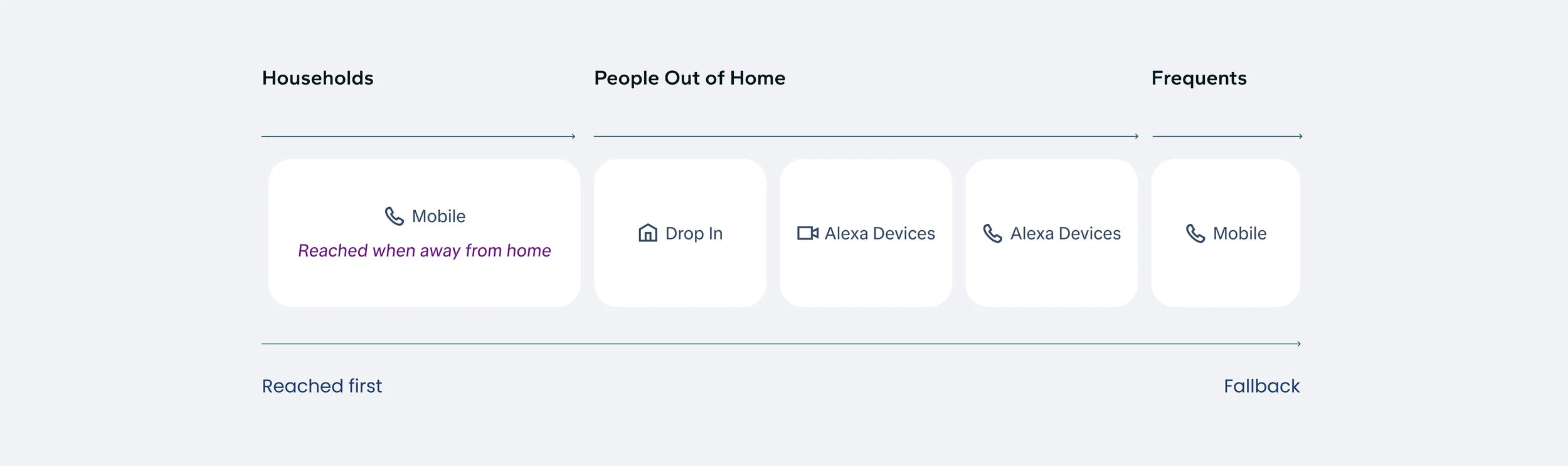
How people are related determines how we might reach them
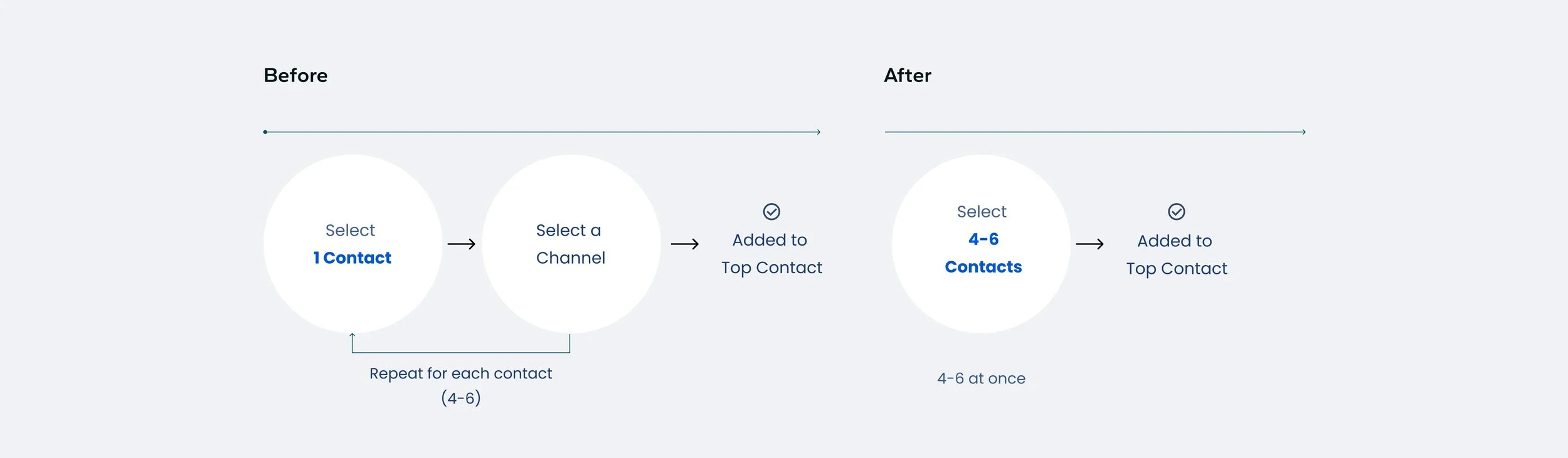
I pushed to remove manual channel setup and default each contact to the right channel.
My hypothesis, later validated with data
Household members are reached on mobile, since a call usually means they’re away from home.
Top Contacts Preference Model I shaped
When you ask Alexa to reach someone, this is the order it defaults to, based on relationship, trust, and availability.
Result
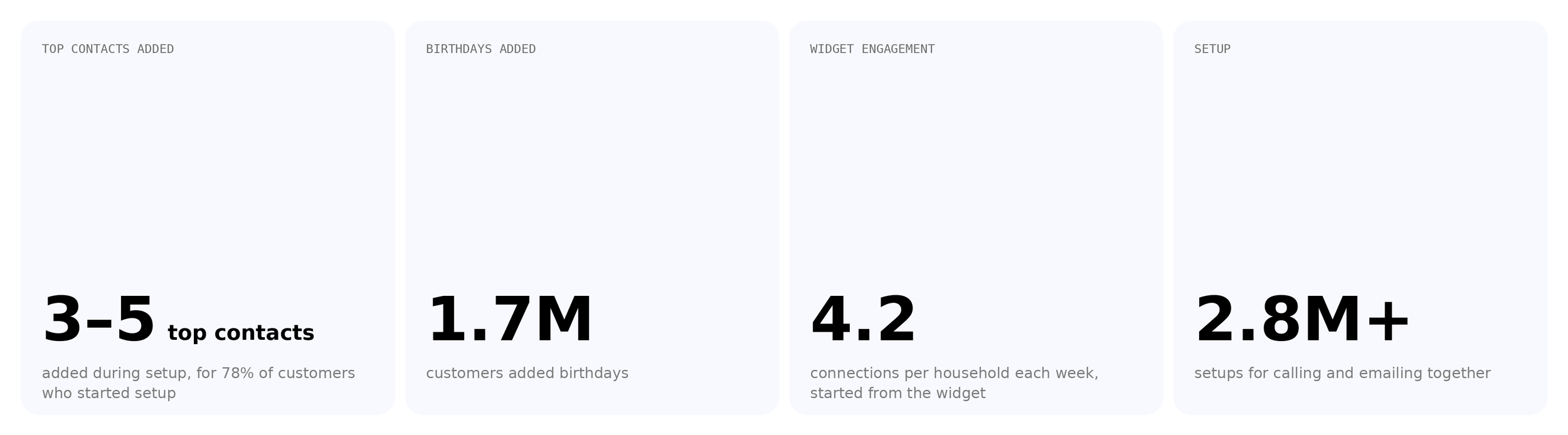
Customers added more Top Contacts when the channel is picked for them, because there are fewer steps
Preferences + Discovering new ways to Connect
Helping seniors onboard along the way so everyone gets started together
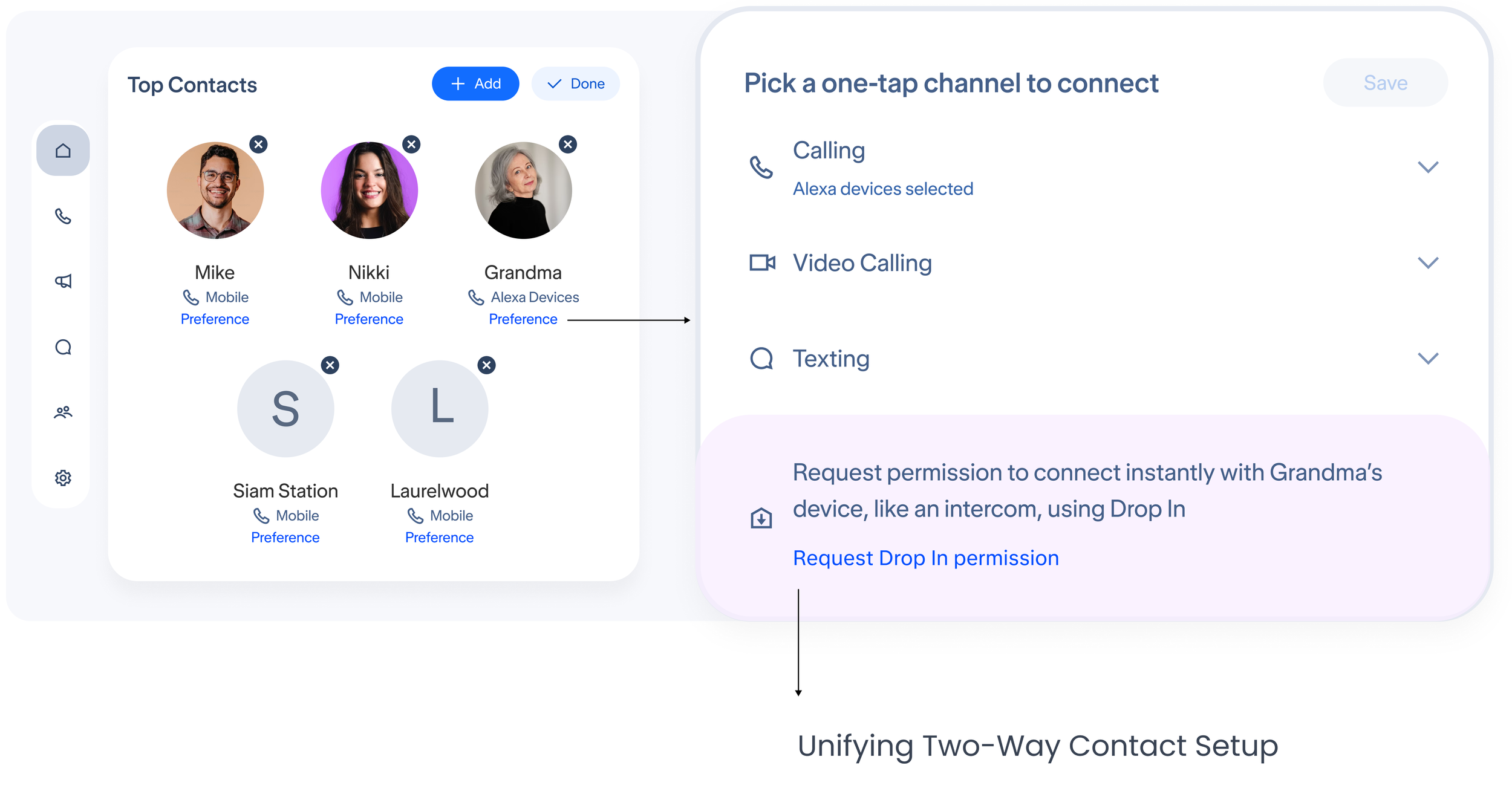
Right contact, remembered privately
Keeping connections safe as your top contact circle grows
Async messages on shared devices must know who’s speaking. I weighed PIN, face, and Voice ID, aligned privacy, security, and engineering on Voice ID + Amazon password (fallback), and navigated the end-to-end flow for drafting messages and emails.
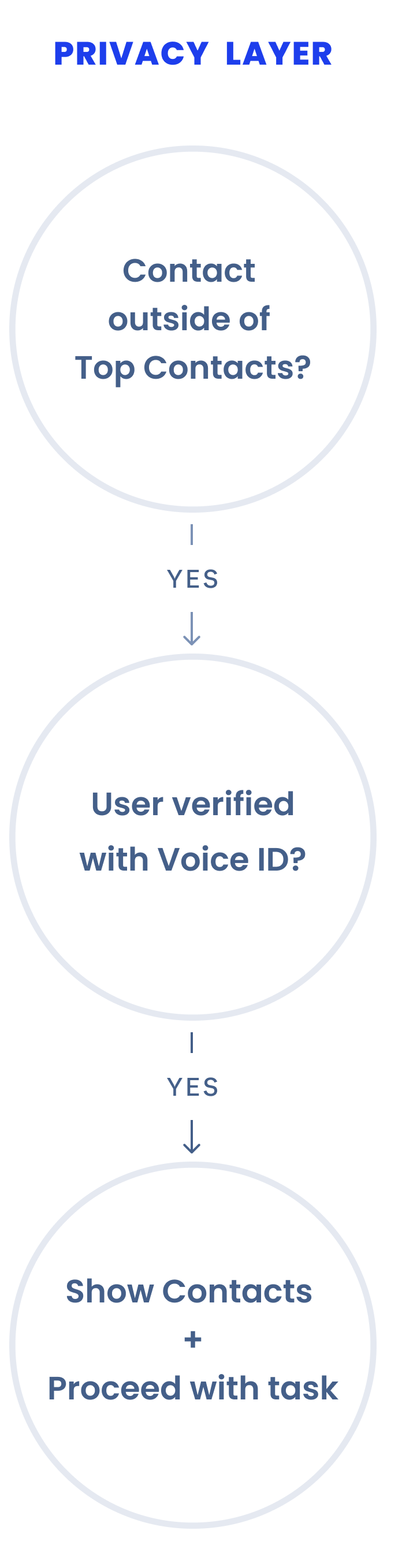
End to end message drafting with privacy checks and preferences remembered quietly.
Alexa+ Onboarding
Moving beyond the home: new channels with Alexa+
Three new and two existing communication channels had no setup strategy. First-time setup is the moment new customers form their first impression of Alexa.
End to End Solution Shipped
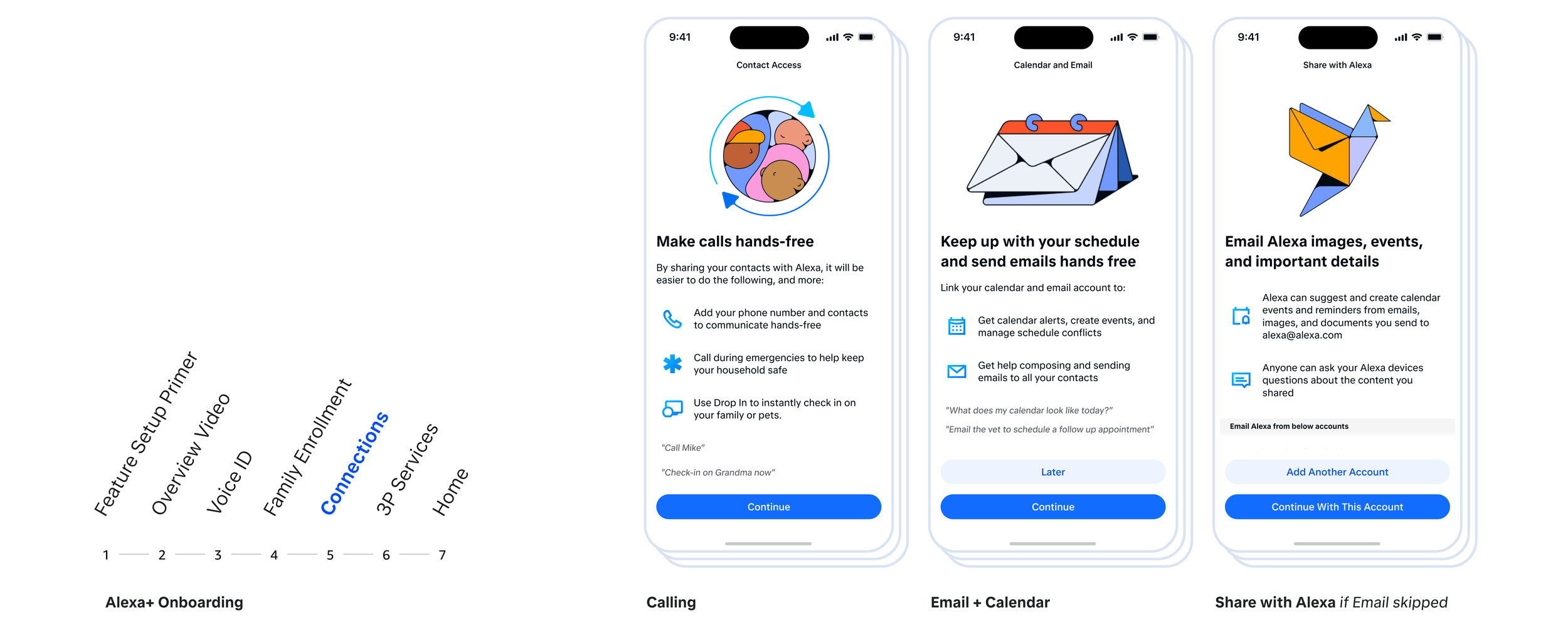
I sequenced setup around how Alexa can best help customers using design explorations and in-person moderated research, and kept it consistent with the overall voice of the product.
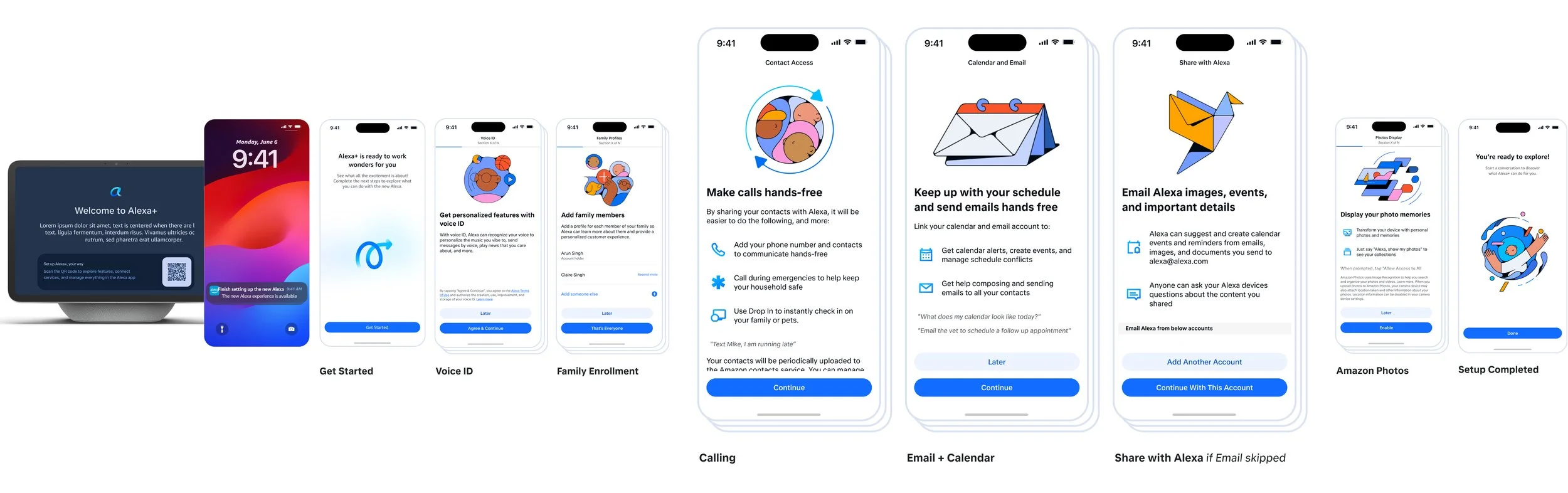
Familiar first (Calling), then Calendar and Email to keep customers on top of their day, with Share files with Alexa as the designed fallback for anyone who skips email. I aligned feature owners, platform, legal, and privacy behind this story.
Pillar 02 — Initiating connection
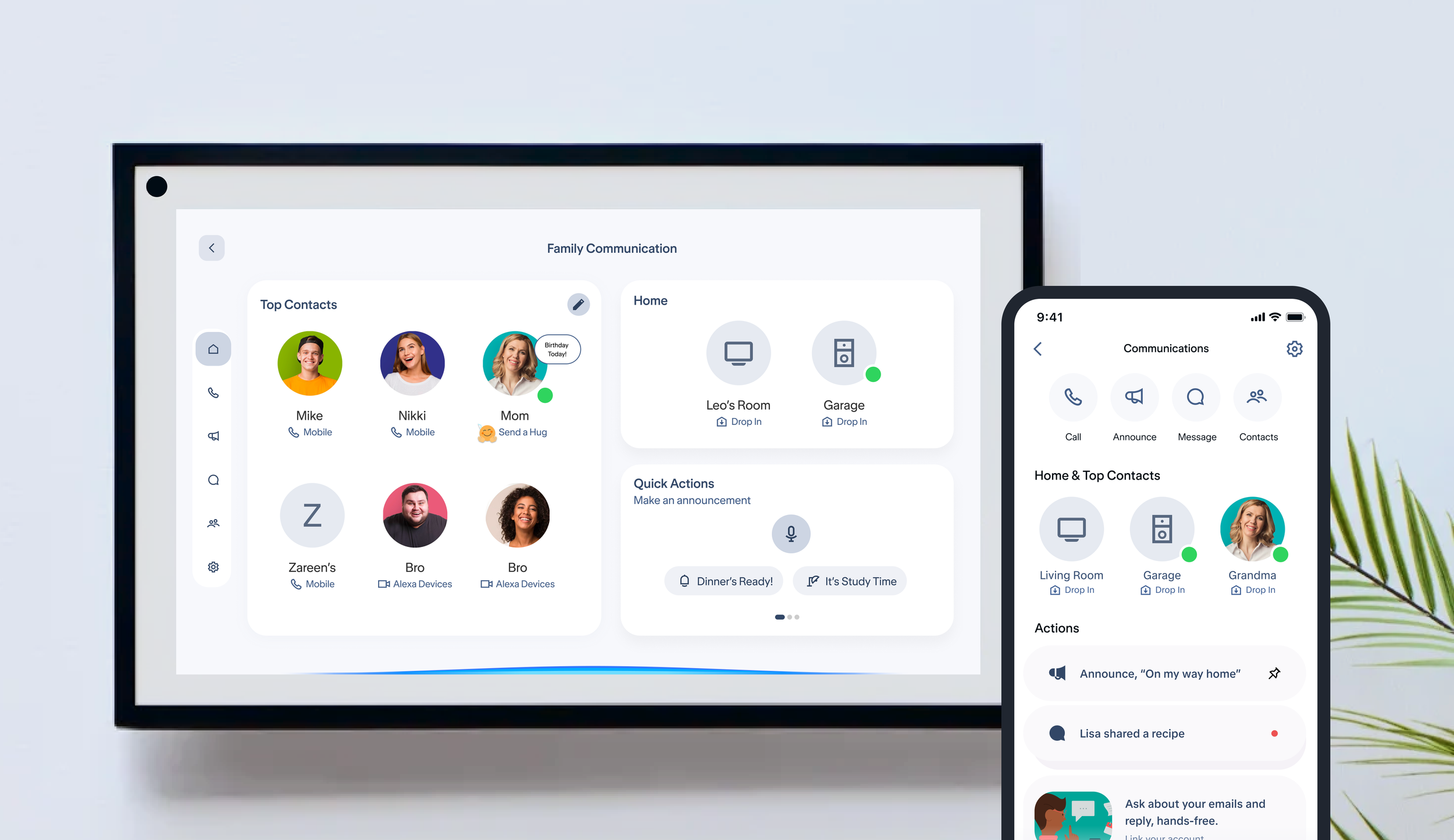
Grounded in research on how customers reach their people, I defined one-tap access to contacts with a glanceable active status indicator — scalable across diverse customer journeys.
Sharing content to contacts and Broadcasting at Home on Fire TV
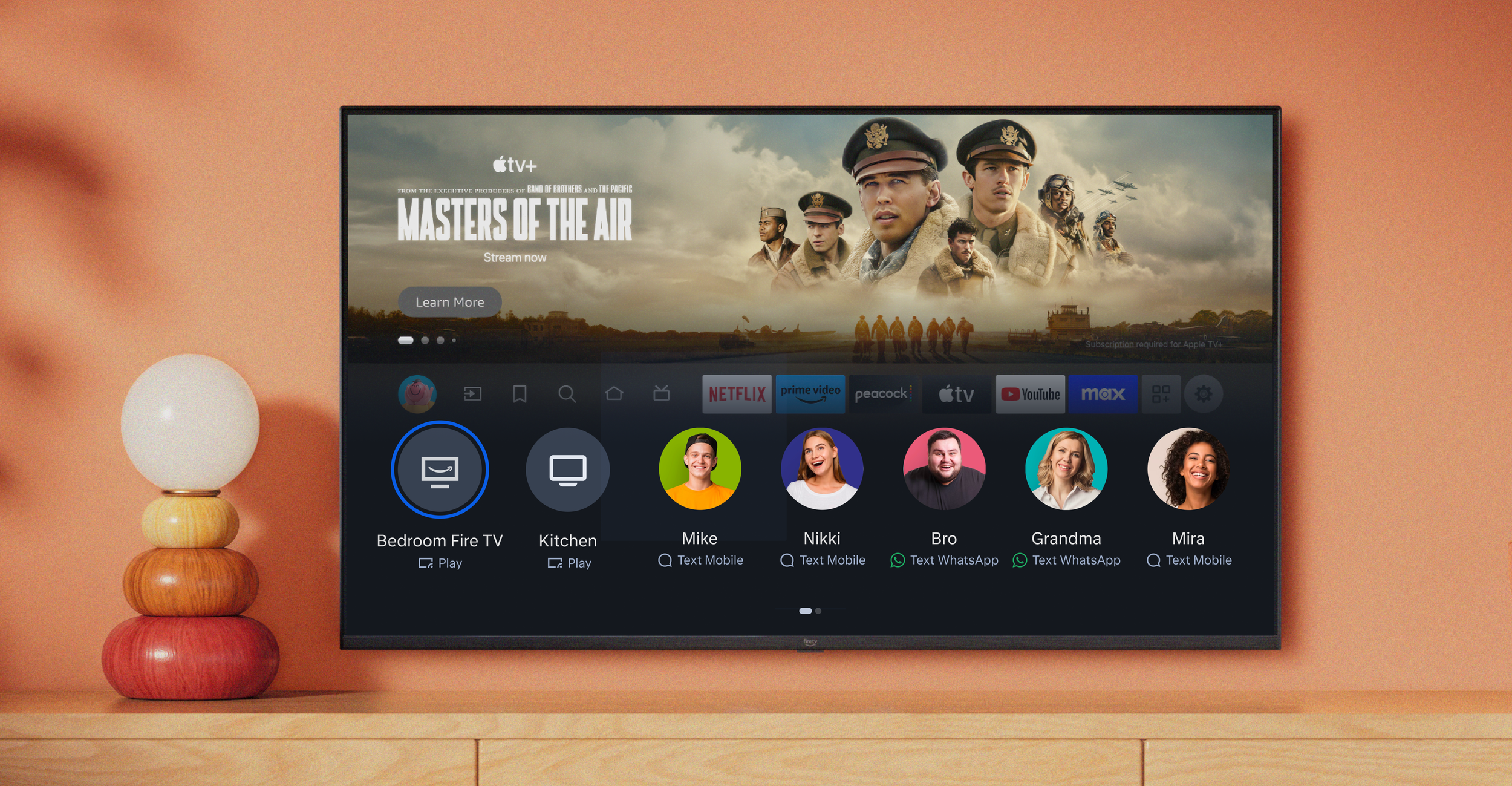
Large Widgets on Home Screens
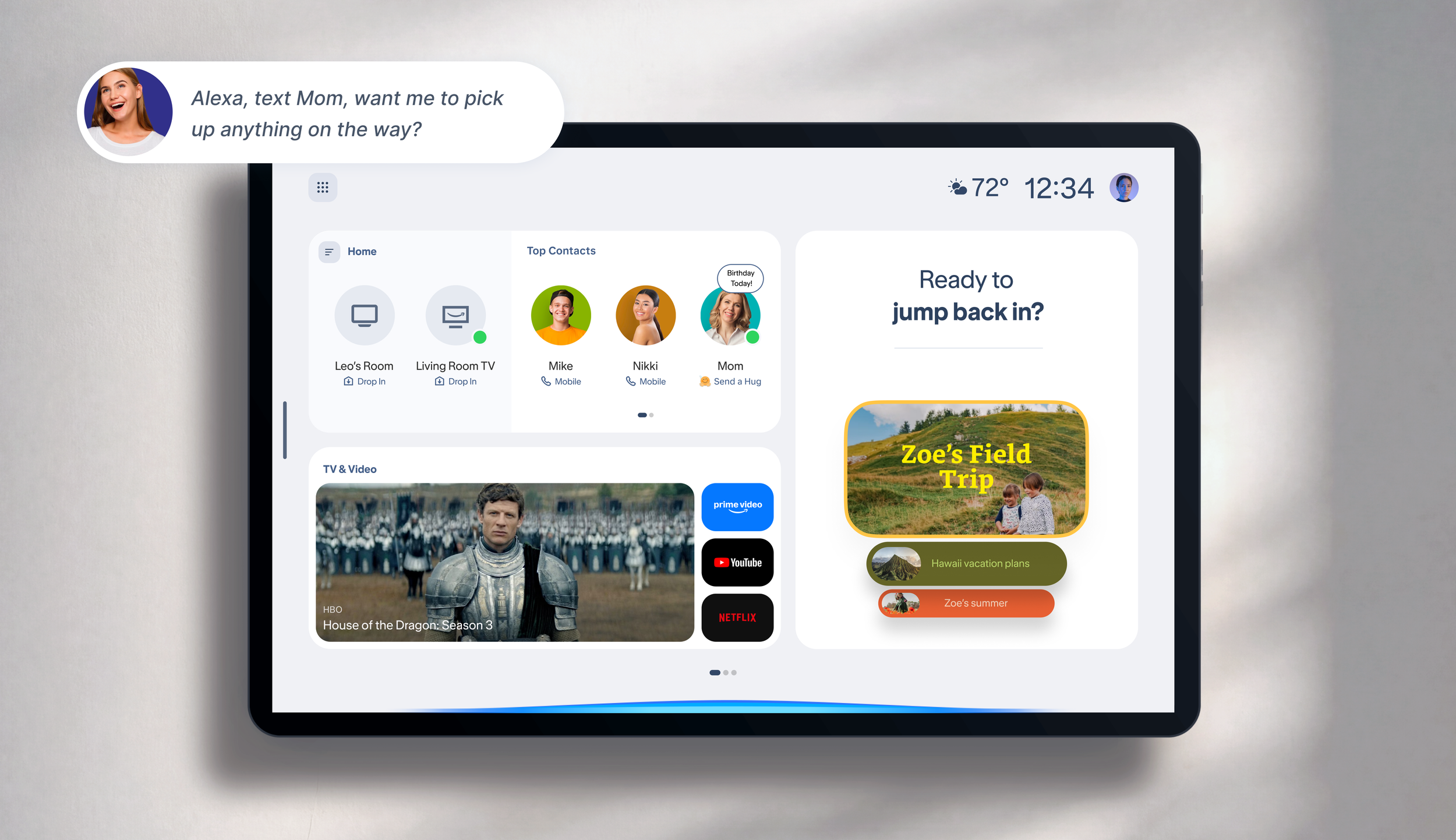
Small Widgets on Home Screens
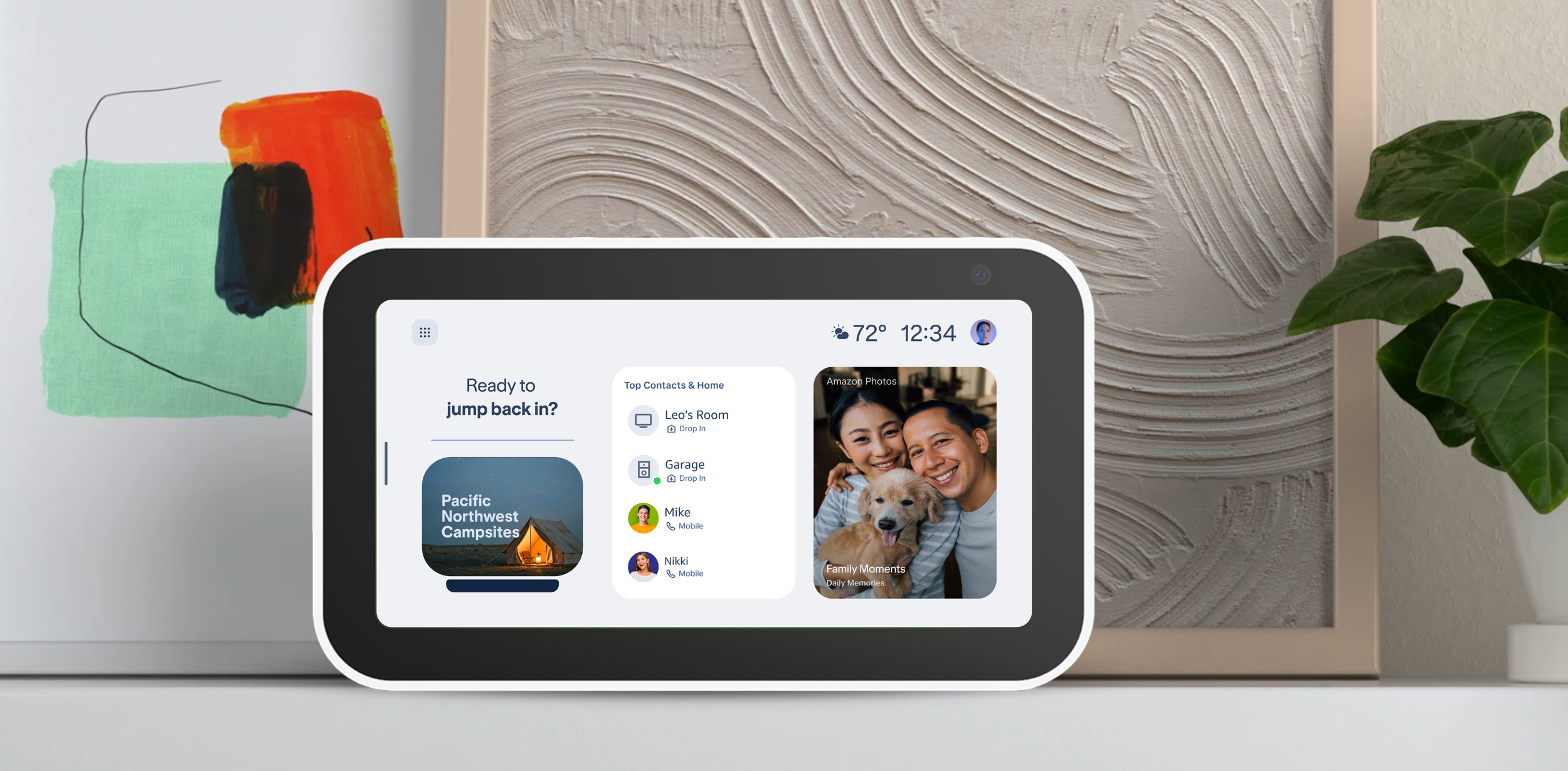
Re-architecting Home for devices and the app, across screens from 21 inches to 5
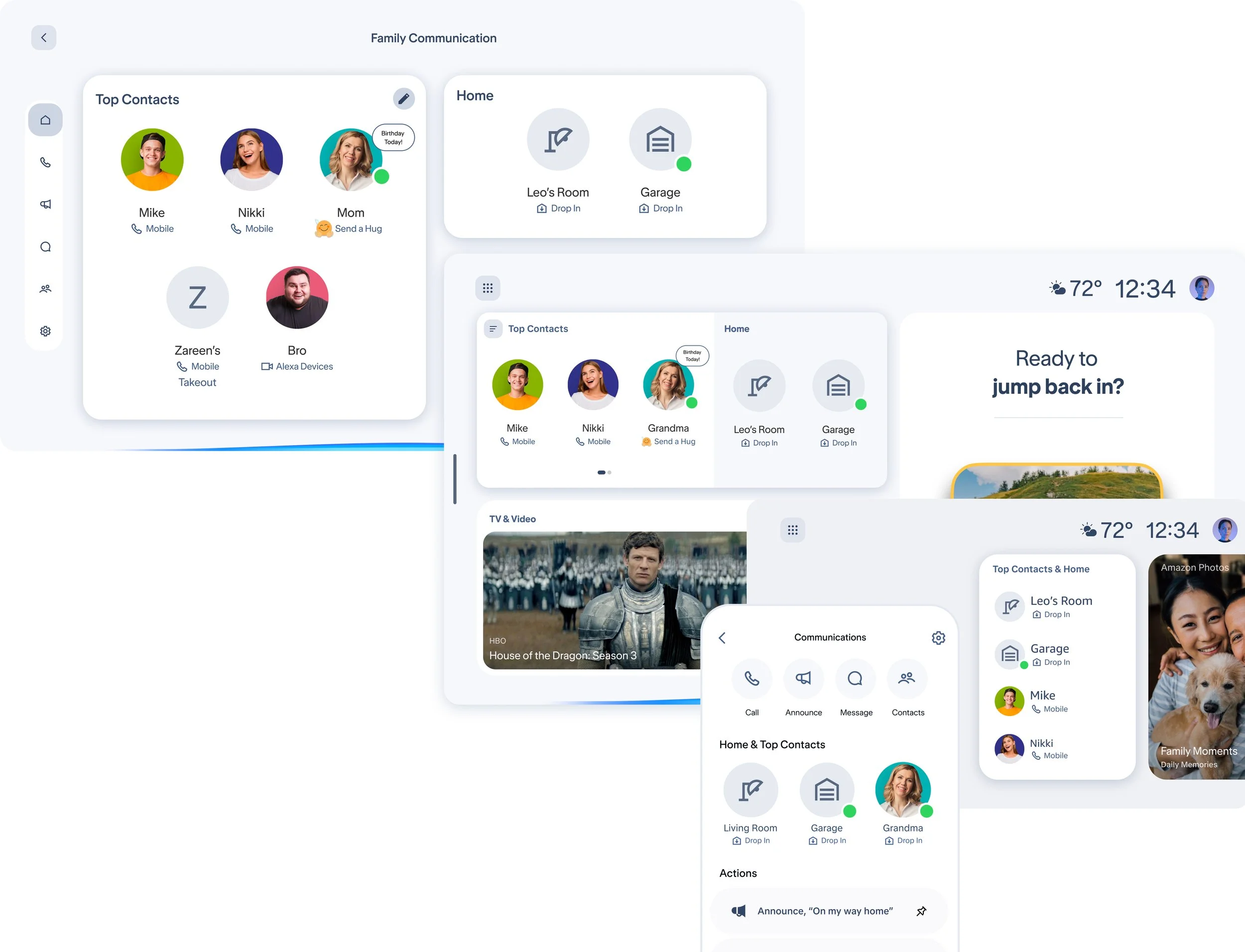
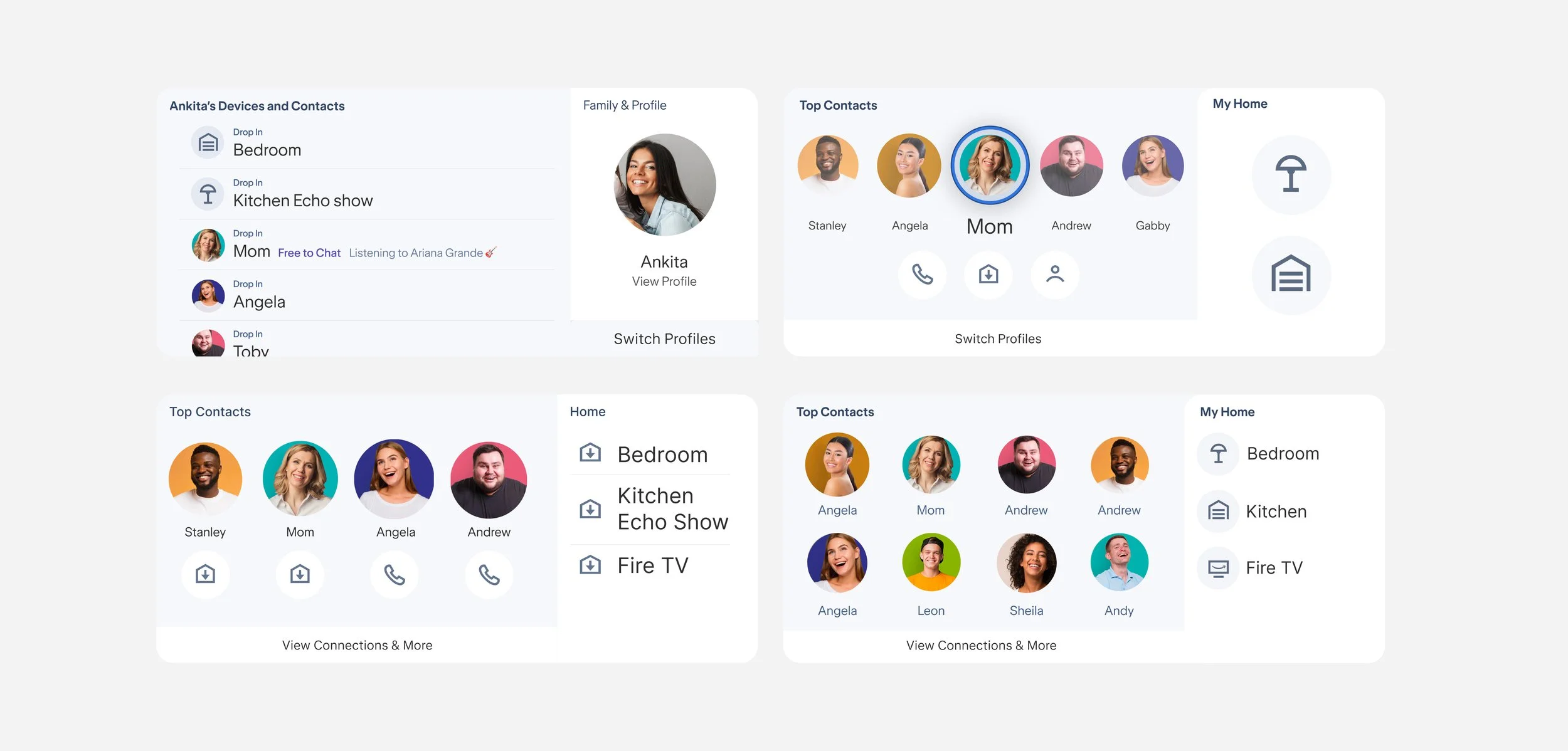
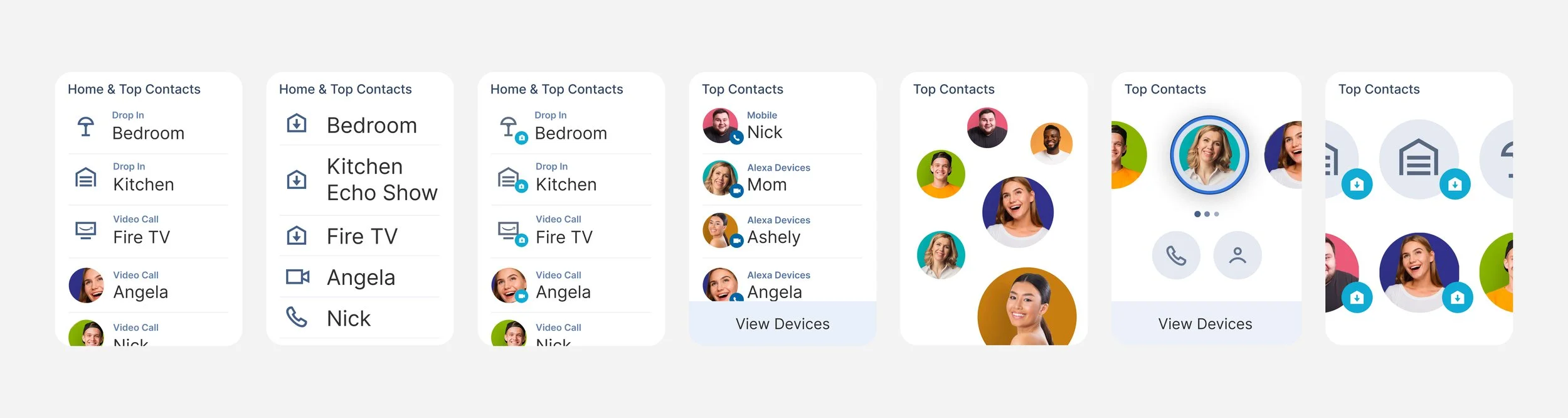
Strategy / Vision / Concepts
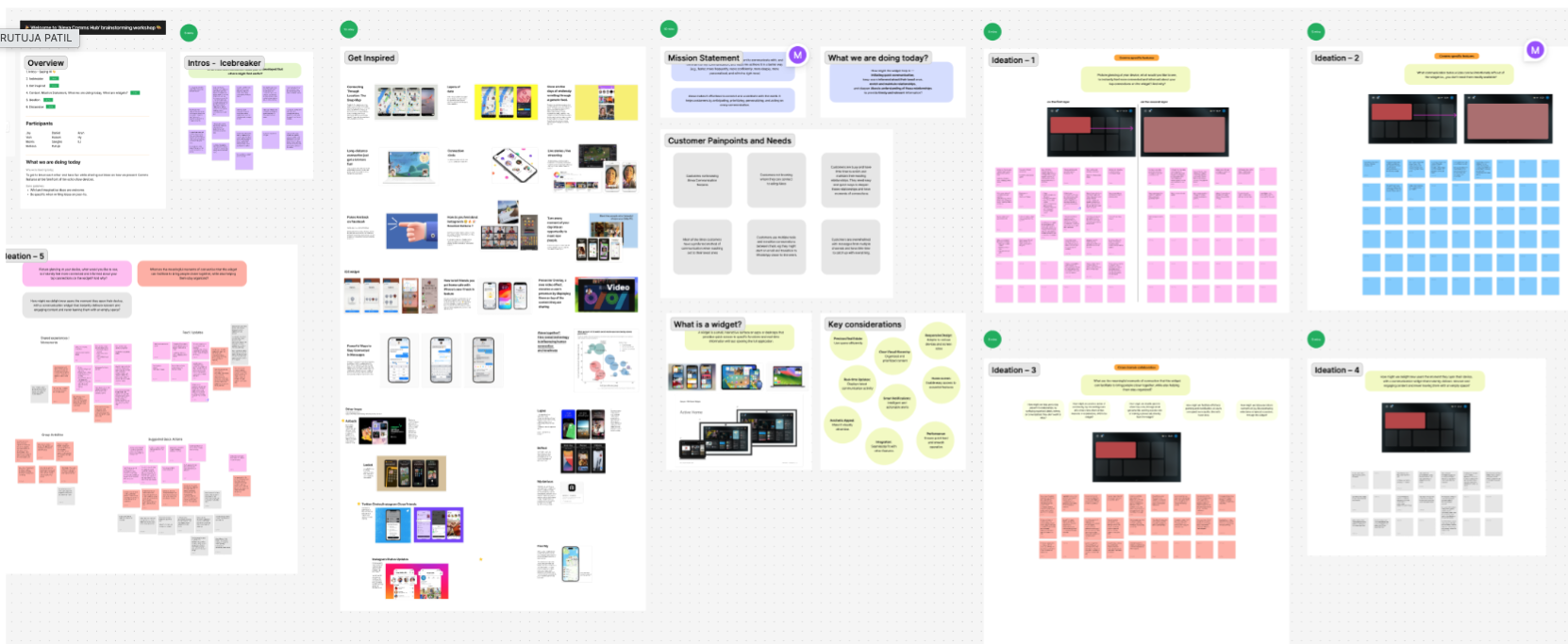
Pillar 03 — Meaningful engagement
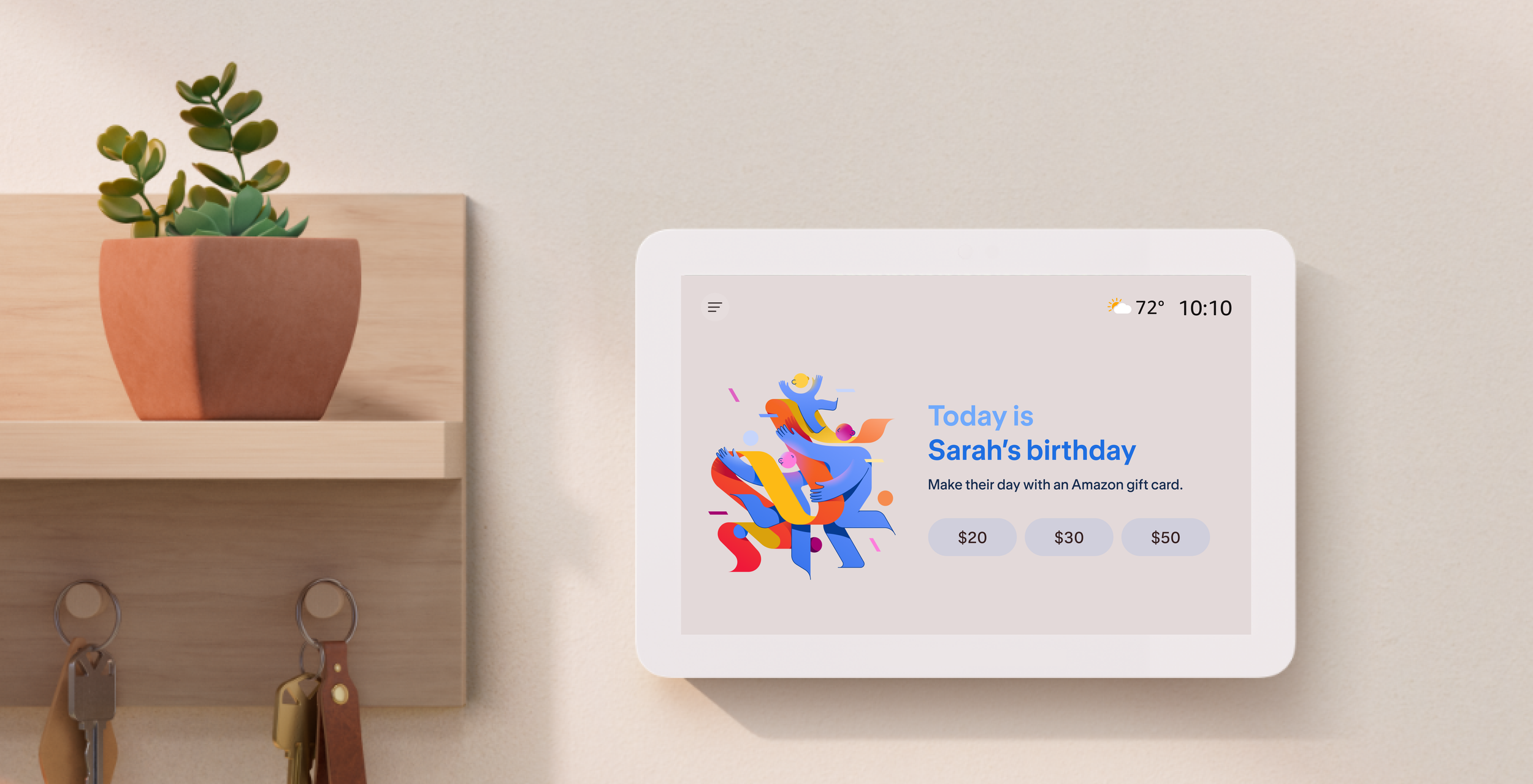
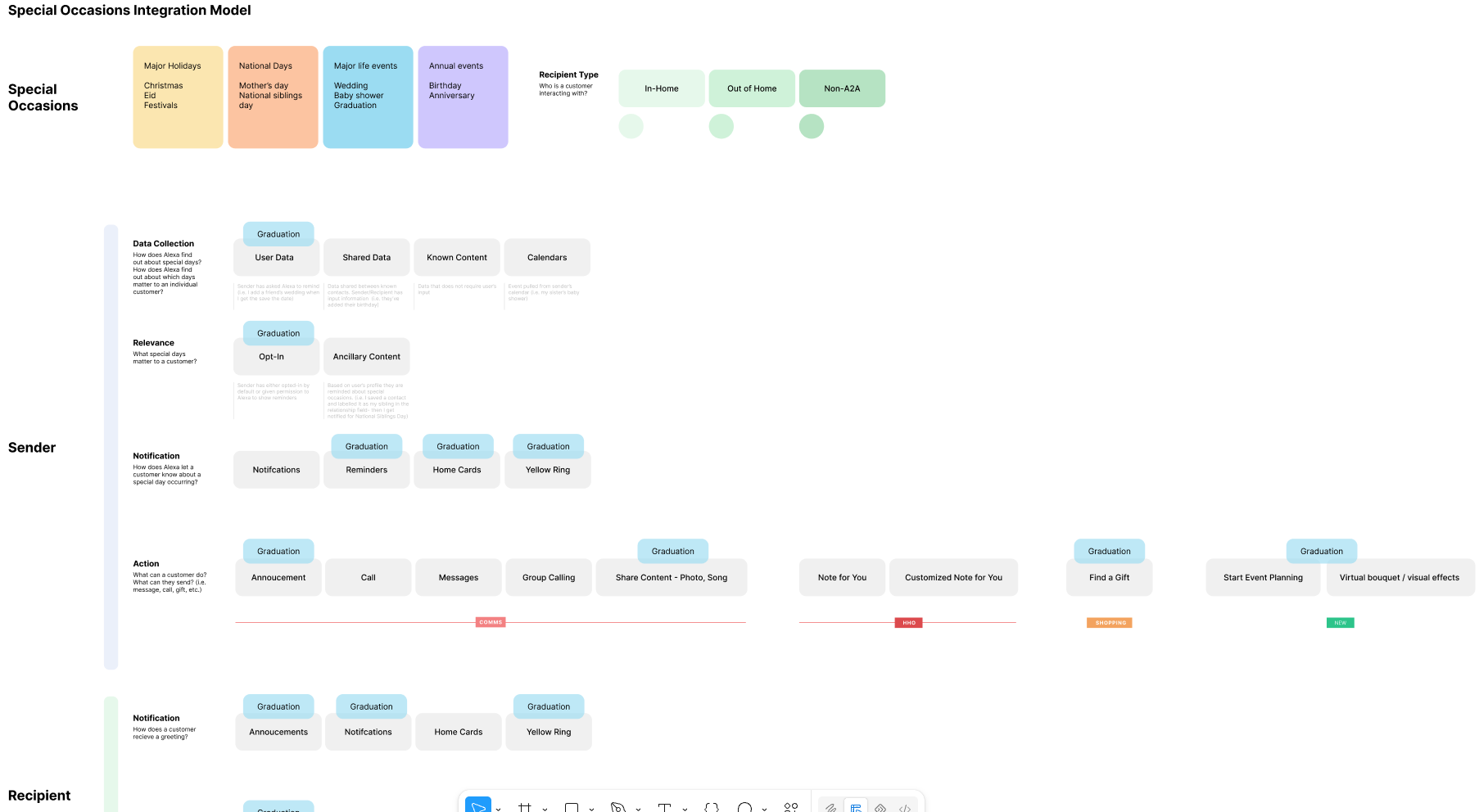
I continued framing new opportunities for my domain. I led the special occasions programs when it was ambiguous what to do, and what to build.
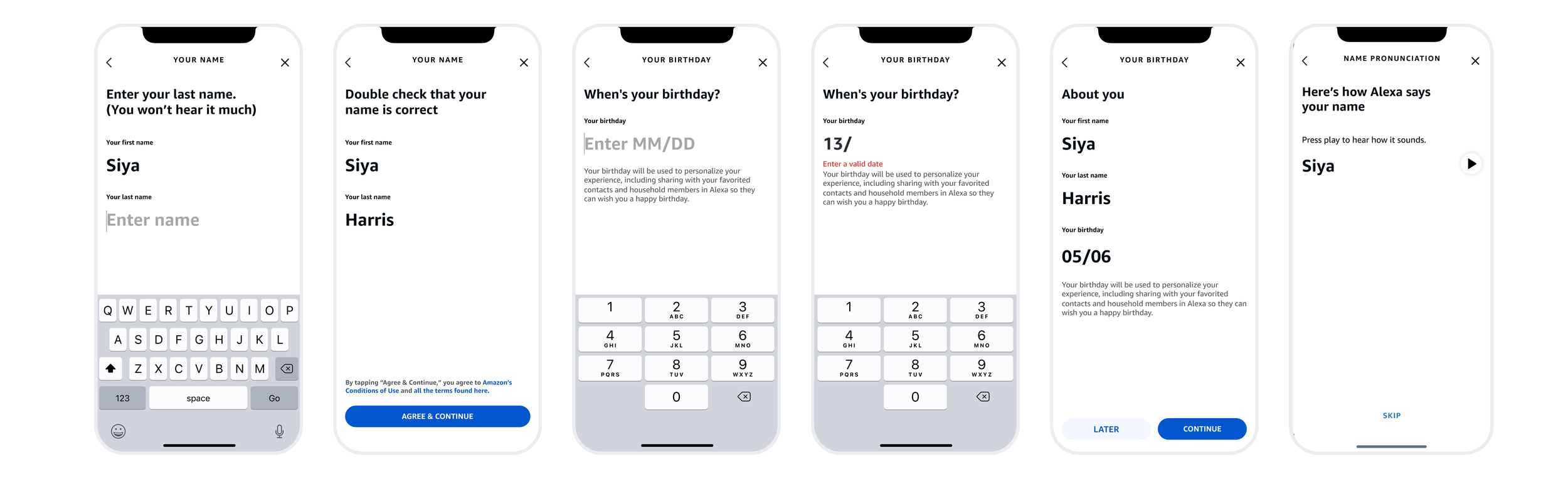
That became Amazon's first program to capture birthdays — with privacy designed around it: who it is shared with, and how much is shared — we skipped the year.
Shipped Experience for Special Occasions — Starting with Birthdays
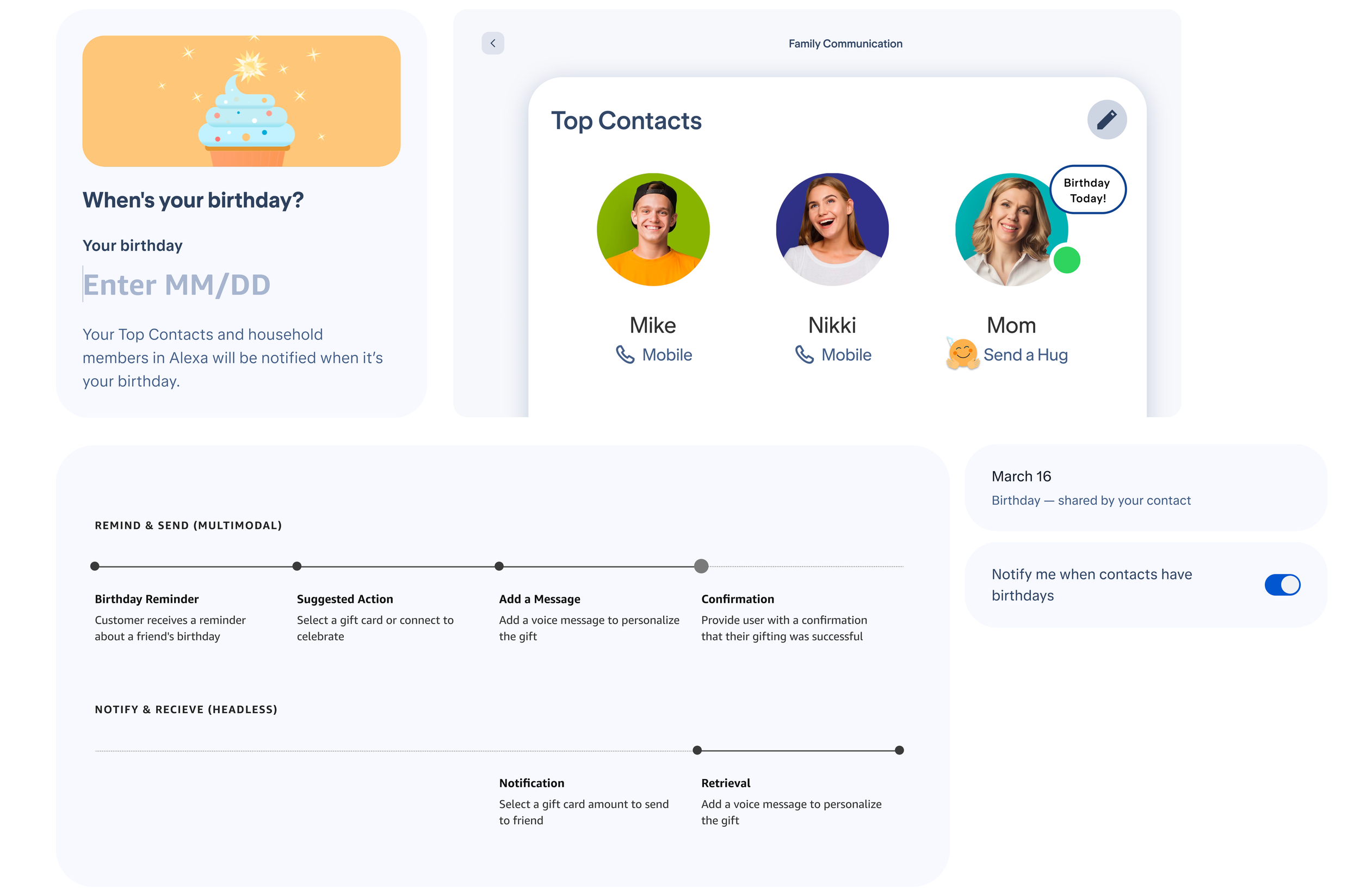

Receiving reminders & celebrating
Scaling the experience
Results & Impact
Making voice calling and texting feel better than picking up your phone!
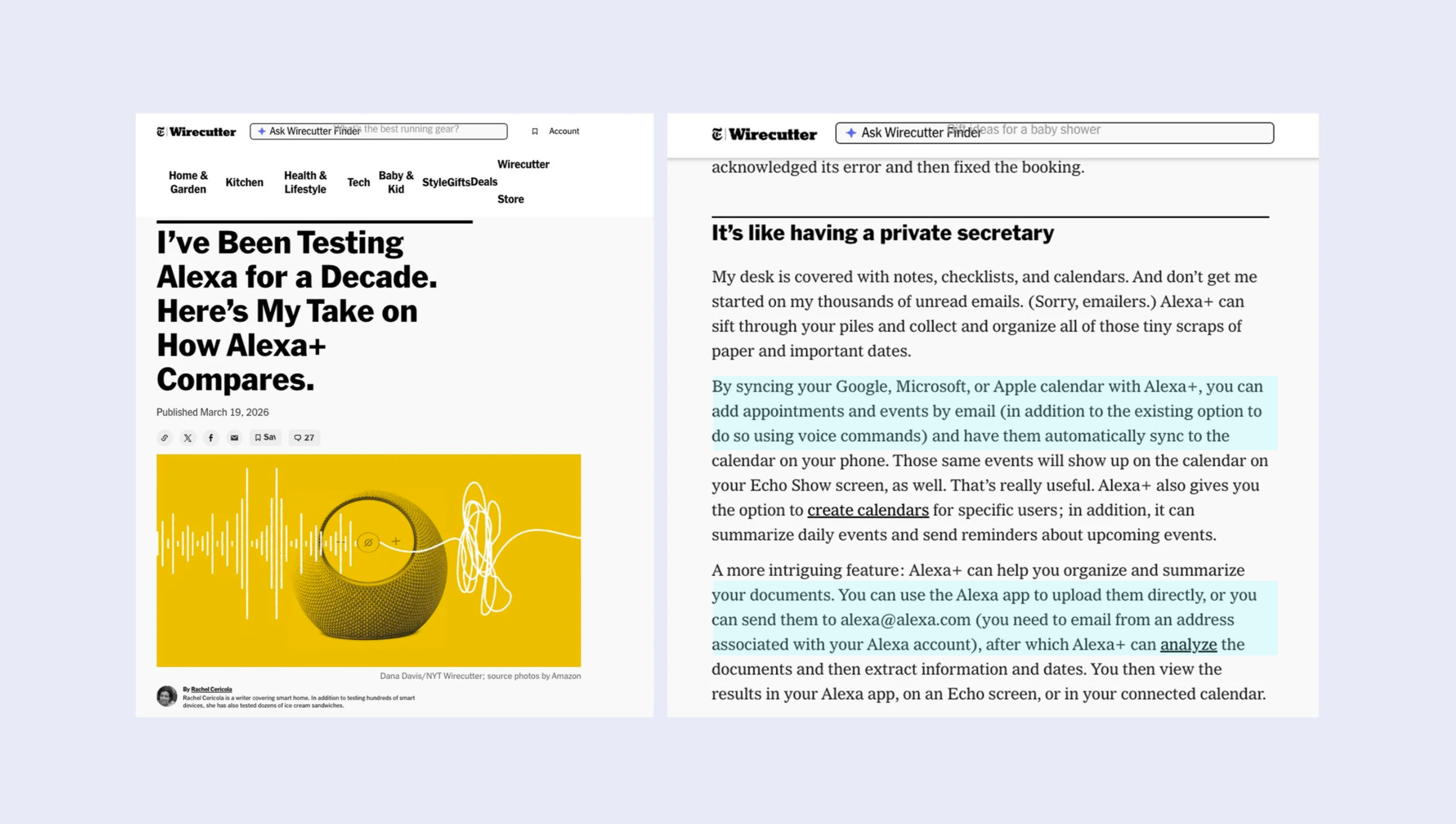
Alexa+ Experience for Emails, Calendar, Sharing with Alexa
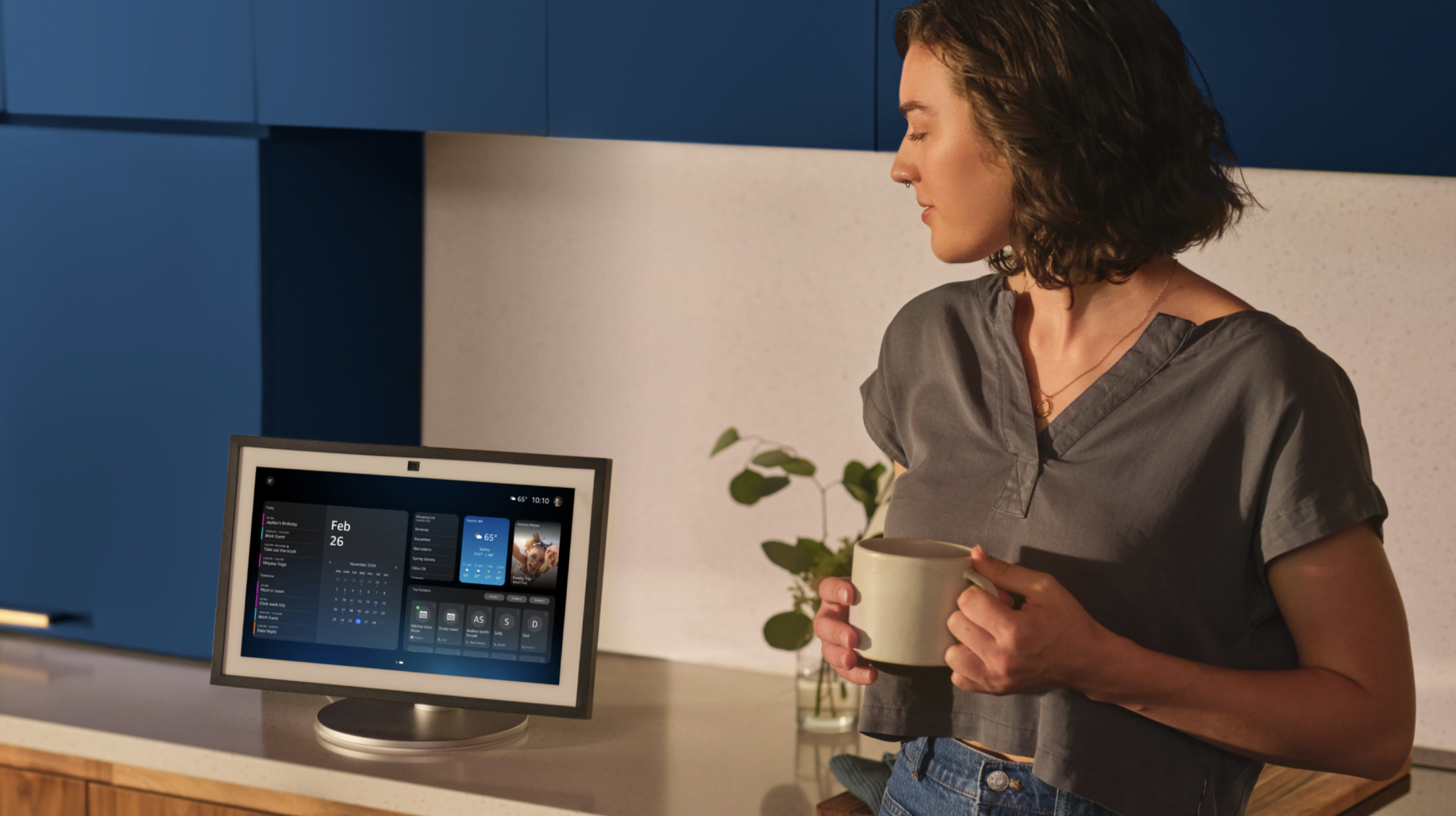
Top Contacts, Widgets, Home Feature Announcement:
https://www.aboutamazon.com/news/devices/new-alexa-features-2023